How the V13 Eyepiece Camera Fits a 28–50 mm Tube
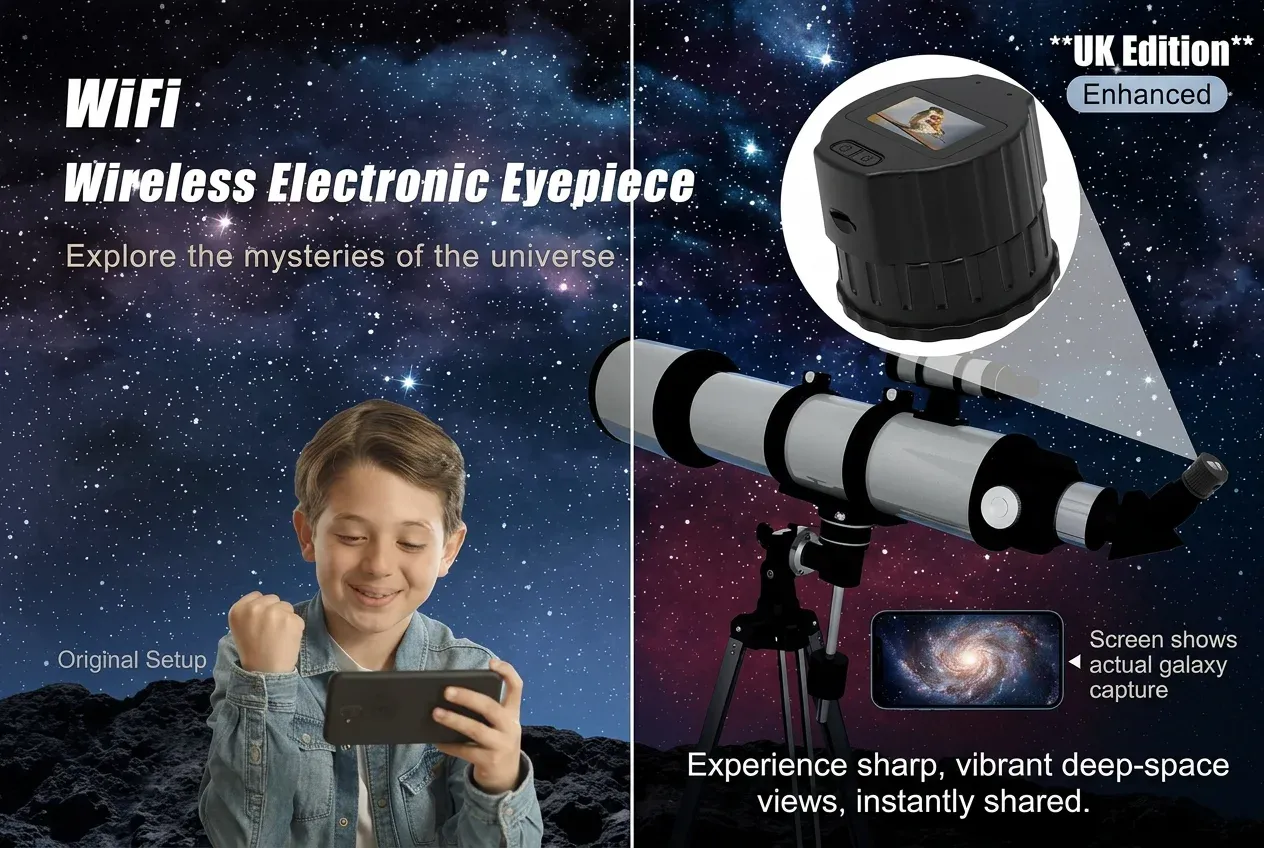
The V13 only makes sense if it sits in your eyepiece tube. The range on this camera is 28 mm to 50 mm. That is the first measurement to take, before you think about the screen or the app.
Seat the camera in place of a normal eyepiece, then focus with the telescope. The tube range is 28 mm to 50 mm. The telescope’s own focuser sets the focus. A memory card is extra.
Measure the tube first
Take out the eyepiece you use now and measure the barrel that goes into the focuser, or measure the inside of the drawtube. You want a number between 28 mm and 50 mm. If you land in that band, the V13 is the electronic eyepiece for that tube.
The product detail also names single-tube, dual-head and astronomical telescopes. Those are the styles called out for this fit. A small finder or a camera nosepiece that is well outside 28–50 mm is a different job.
Do not guess from a photo of someone else’s scope. Two telescopes can look similar and still use different drawtubes. A tape measure on your own focuser is the check that matters.
What “28–50 mm” means in use
It is a range rather than one fixed barrel. Some tubes sit near 28 mm, some nearer 50 mm. The V13 is made to seat across that spread. If your tube is inside the range, you push the camera home the way you would seat a glass eyepiece, then you lock or friction-fit it the way that focuser already works.
Seat it, then focus with the telescope
Power is off or on as you prefer for the first seat; many people seat it unpowered, then switch on so the 1.5-inch screen lights. The screen is on the camera: 1.5-inch TFT, 320 × 240, full-view IPS. Once you have a picture, turn the telescope focuser until the Moon, a chimney, or a distant tree is sharp.
You are not focusing “in the app” as the main control. Viidure shows the same view after you join the camera Wi-Fi. The sharp picture still comes from the telescope’s focuser. If the image is soft on the phone, go back to the focuser on the tube.
A first seat without the phone
You can confirm the fit without Viidure. Charge from Type-C, seat the camera, power on, and look at the screen. If the camera sits firmly and you can focus, the tube is doing its job. Add the phone after that.
After it is in the tube
The sensor is a 2-megapixel CMOS. Video is 1920 × 1080, H.264, up to 30 fps. That is what you watch on the screen and what you can keep on a MicroSD / TF card up to 256 GB. The card is separate.
The built-in 800 mAh battery is rated for about 150 minutes of continuous use. Charge from the Type-C port on the body. A long session of pulling the camera in and out of the tube wastes less time if the battery is already full.
When you want the picture on a phone, join the camera Wi-Fi and open Viidure. It can show the picture on two phones at the same time. Leave the V13 in the 28–50 mm tube while you do that. The fit does not change because a phone joined.
Common mistakes with the tube
People sometimes order an electronic eyepiece and only then measure the drawtube. Measure first. People also expect the camera to focus itself. It does not; the telescope’s focuser does. And people sometimes skip the screen and go straight to the phone. The screen is the check that the seat and the focus are already right.
If you want the wider “keep your telescope” story, see A WiFi Eyepiece for the Telescope You Already Own. If you want screen and Viidure side by side, see Watching on the 1.5-inch Screen and on Viidure.
A short check on the patio
Do this in daylight once, even if you bought the V13 for the Moon. Seat the camera in the 28–50 mm tube. Power on. Point at a TV aerial or a chimney a few streets away. Turn the focuser until the 1.5-inch screen is sharp. If the camera wobbles, the seat is wrong or the tube is outside the range. If it sits and you can focus, you are ready for dark.
Then try Viidure on one phone. Join the camera Wi-Fi, open the app, and confirm the same view. A second phone can join if you want two people watching. Take the camera out, charge from Type-C, and put it back when you go out at night. The tube fit does not change between those two sessions.
Keep a note of your measured millimetres. If you later buy another electronic eyepiece, you will already know whether that new barrel is in the same 28–50 mm band.
If the picture will not snap in
A soft picture is almost always the telescope focuser, not Viidure. Seat the V13 again in the 28–50 mm tube so it does not rock. Power on and watch the 1.5-inch screen while you turn the focuser a little past sharp and back. If the screen is live and the tube is in range, the phone will follow once you join the camera Wi-Fi.
Fit questions
Which telescopes does it fit?
Eyepiece tubes from 28 mm to 50 mm. Focus with the telescope’s own focuser.
Will it fit every telescope I see online?
No. You need a 28–50 mm eyepiece tube. Single-tube, dual-head and astronomical telescopes are the styles named for this camera. Measure yours.
Do I need an adapter as standard?
This page only claims the 28–50 mm seat. If your tube is in that range, you seat the camera in place of a normal eyepiece.
How do I charge it once it is fitted?
Charge from the Type-C port on the camera body. You can take the camera out of the tube to charge, or charge it in place if the port is clear.
What are the V13 facts these guides rely on?
The V13 is a 2-megapixel CMOS eyepiece camera. Video is 1920 × 1080, H.264, up to 30 fps. The screen is a 1.5-inch TFT, 320 × 240, full-view IPS. It fits a 28–50 mm tube, runs on a built-in 800 mAh battery rated for about 150 minutes, and charges from a Type-C port.
| Question | V13 answer |
|---|---|
| Which tube does it fit? | Eyepiece tubes from 28 mm to 50 mm. Focus with the telescope. |
| Where is the screen? | 1.5-inch TFT, 320 × 240, full-view IPS, on the camera. |
| How do you watch on a phone? | Join the camera Wi-Fi and open Viidure, on up to two phones. |
| What video does it record? | 1920 × 1080, H.264, up to 30 fps, from a 2-megapixel CMOS sensor. |
| How long does the battery last? | Built-in 800 mAh, about 150 minutes. Charge from the Type-C port. |
The recording format is H.264, the codec in ITU-T Recommendation H.264. The body charges from a USB Type-C port. UK returns sit alongside the Consumer Rights Act 2015.