Watching on the 1.5-inch Screen and on Viidure
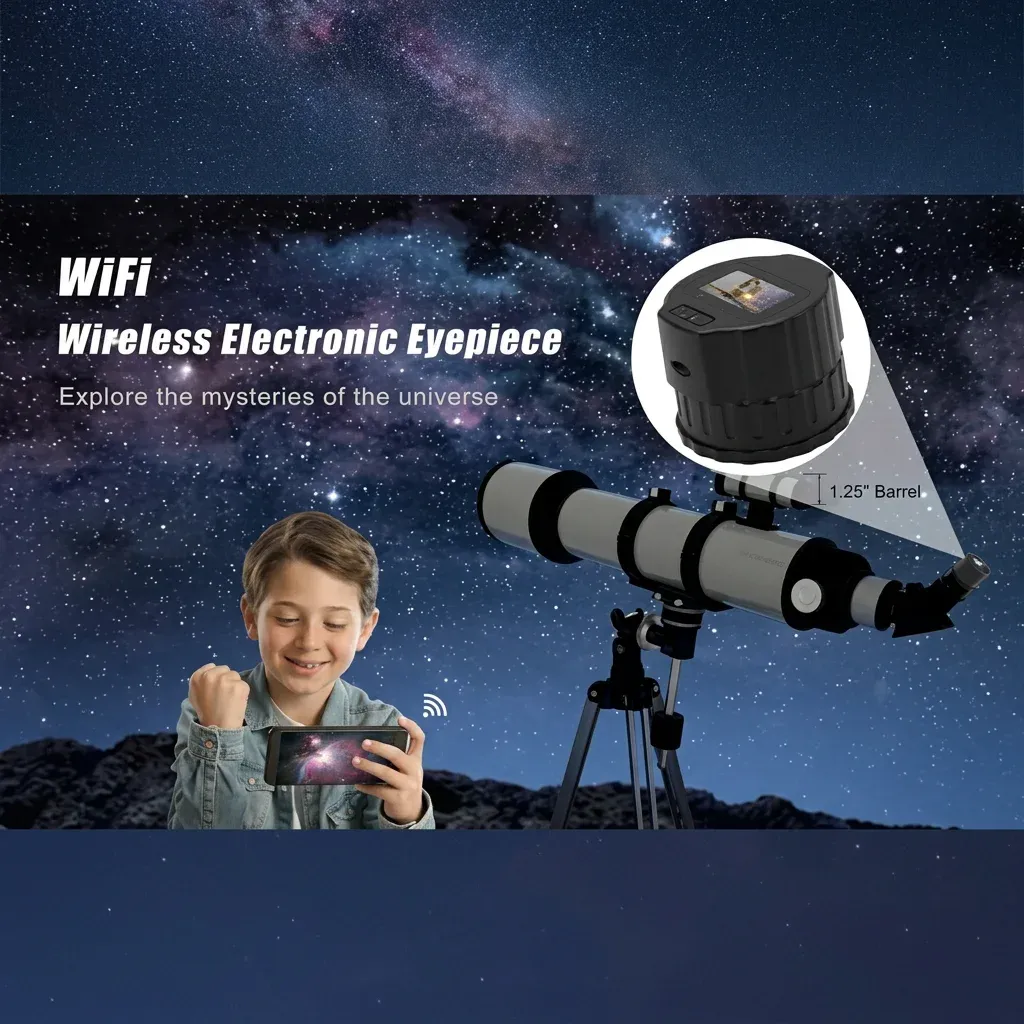
The V13 has two places to watch the same telescope view: the 1.5-inch screen on the camera, and Viidure on a phone. You can use the screen on its own. You add the phone when you want a bigger picture or a second person in the loop.
The camera is still an eyepiece. It sits in a 28–50 mm tube. The screen and the app do not change the fit. They change where you stand while you look.
Why the screen is on the camera
A 1.5-inch TFT, 320 × 240, full-view IPS sits on the body. That is small on purpose. It is the live view at the eyepiece end, so you can focus with the telescope and confirm you are on the target without unlocking a phone.
In a dark garden the screen is the thing you glance at after you nudge the mount. On a daytime birding tube in the same 28–50 mm range, it is the thing you look at instead of holding a phone up to a glass eyepiece. People who use it that way talk about the screen being on the camera, so they can look without that extra fiddle.
What the screen is showing
The picture comes from a 2-megapixel CMOS sensor. Video is 1920 × 1080, H.264, up to 30 fps. The screen is 320 × 240, so you are judging framing and focus there, not counting pixels on the TFT. The 1080p file is what you keep if you fit a MicroSD card.
When to open Viidure
Turn the camera on, join its Wi-Fi, and open Viidure. It can show the picture on two phones at the same time. Use that when a second person wants the view, when the eyepiece is high, or when you want to sit back with the phone while the telescope stays put.
You do not need a computer. You do not need to take the V13 out of the tube to use the app. The screen can stay on; Viidure is the same live view on a larger panel.
Two phones
Two phones on Viidure is the household case: one person at the mount, one person on a chair, both looking at the Moon. It is also useful at a small outreach table, as long as both phones have joined the camera Wi-Fi.
Screen first, phone second
A clean first run looks like this. Charge from the Type-C port. Seat the camera in a 28–50 mm eyepiece tube. Power on and focus with the telescope while you watch the 1.5-inch screen. Only then join the camera Wi-Fi and open Viidure. If the phone looks soft, go back to the focuser, not into a maze of app settings.
Fit a MicroSD / TF card up to 256 GB when you want recordings kept on the camera. The card is separate. The built-in 800 mAh battery is rated for about 150 minutes of continuous use, which covers a screen-only hour plus time on Viidure if you charge first.
Comfort, glasses, and sharing the view
Watching a screen is easier for some people than crowding a glass eyepiece, especially with glasses on. You keep both eyes open. You can pass a phone running Viidure instead of asking someone to fold themselves over the focuser. The camera stays in the tube.
This is still a 1.5-inch screen on a 2-megapixel camera. It is a live eyepiece view for the tube. For the full list of what is on the body, see What to Expect from the V13 Eyepiece Camera. For the tube, see How the V13 Eyepiece Camera Fits a 28–50 mm Tube.
Recording while you watch
The live view is the screen and Viidure. The file, if you want one, is 1920 × 1080 H.264 on a MicroSD / TF card up to 256 GB. Fit the card when you want the clip on the camera. Leave the card out when you only want to watch.
Start the recording after focus is already good on the 1.5-inch screen. A clip of a soft picture is still a soft picture. The 2-megapixel CMOS and 30 fps H.264 are the recording path on this body. Charge from Type-C so a 150-minute battery rating is actually available when you press record.
Two phones on Viidure can watch while the camera writes to the card. The tube stays 28–50 mm. The screen stays on the camera. The app stays optional.
Sharing the view without moving the mount
Once the V13 is in the 28–50 mm tube and the 1.5-inch screen is sharp, leave the mount alone. Open Viidure on a phone so a second person can watch without bumping the focuser. A third person waits; this camera shows two phones at once, plus the screen on the body.
In a small UK garden that is enough. One person keeps the Moon in frame. One person sits with the phone. You do not pass a glass eyepiece around, and you do not lift the camera out of the tube to share the view. If the phone picture looks softer than the screen, go back to the telescope focuser. The app is showing the same 2-megapixel live view, not a second camera.
When the session ends, close Viidure, power off, and charge from Type-C. The 800 mAh battery is rated for about 150 minutes of continuous use. Fit or remove the MicroSD card as you prefer; the card is still separate, up to 256 GB.
Screen and app questions
Do I have to use a phone?
No. The 1.5-inch screen is on the camera. Viidure is optional.
How do I watch on a phone?
Turn the camera on, join its Wi-Fi, and open Viidure. It can show the picture on two phones at the same time.
How do I charge it?
Charge it from the Type-C port on the camera body. The 800 mAh battery is rated for about 150 minutes of continuous use.
What memory card does it take?
A MicroSD / TF card up to 256 GB. The card is separate.
What are the V13 facts these guides rely on?
The V13 is a 2-megapixel CMOS eyepiece camera. Video is 1920 × 1080, H.264, up to 30 fps. The screen is a 1.5-inch TFT, 320 × 240, full-view IPS. It fits a 28–50 mm tube, runs on a built-in 800 mAh battery rated for about 150 minutes, and charges from a Type-C port.
| Question | V13 answer |
|---|---|
| Which tube does it fit? | Eyepiece tubes from 28 mm to 50 mm. Focus with the telescope. |
| Where is the screen? | 1.5-inch TFT, 320 × 240, full-view IPS, on the camera. |
| How do you watch on a phone? | Join the camera Wi-Fi and open Viidure, on up to two phones. |
| What video does it record? | 1920 × 1080, H.264, up to 30 fps, from a 2-megapixel CMOS sensor. |
| How long does the battery last? | Built-in 800 mAh, about 150 minutes. Charge from the Type-C port. |
The recording format is H.264, the codec in ITU-T Recommendation H.264. The body charges from a USB Type-C port. UK returns sit alongside the Consumer Rights Act 2015.